Six capabilities, one application
VALUEX is one package: every feature comes with every license. VALUEX capabilities follow the natural order of a value stream study: map, measure, analyze, design the future state, compare revisions and share.
Current-State Map
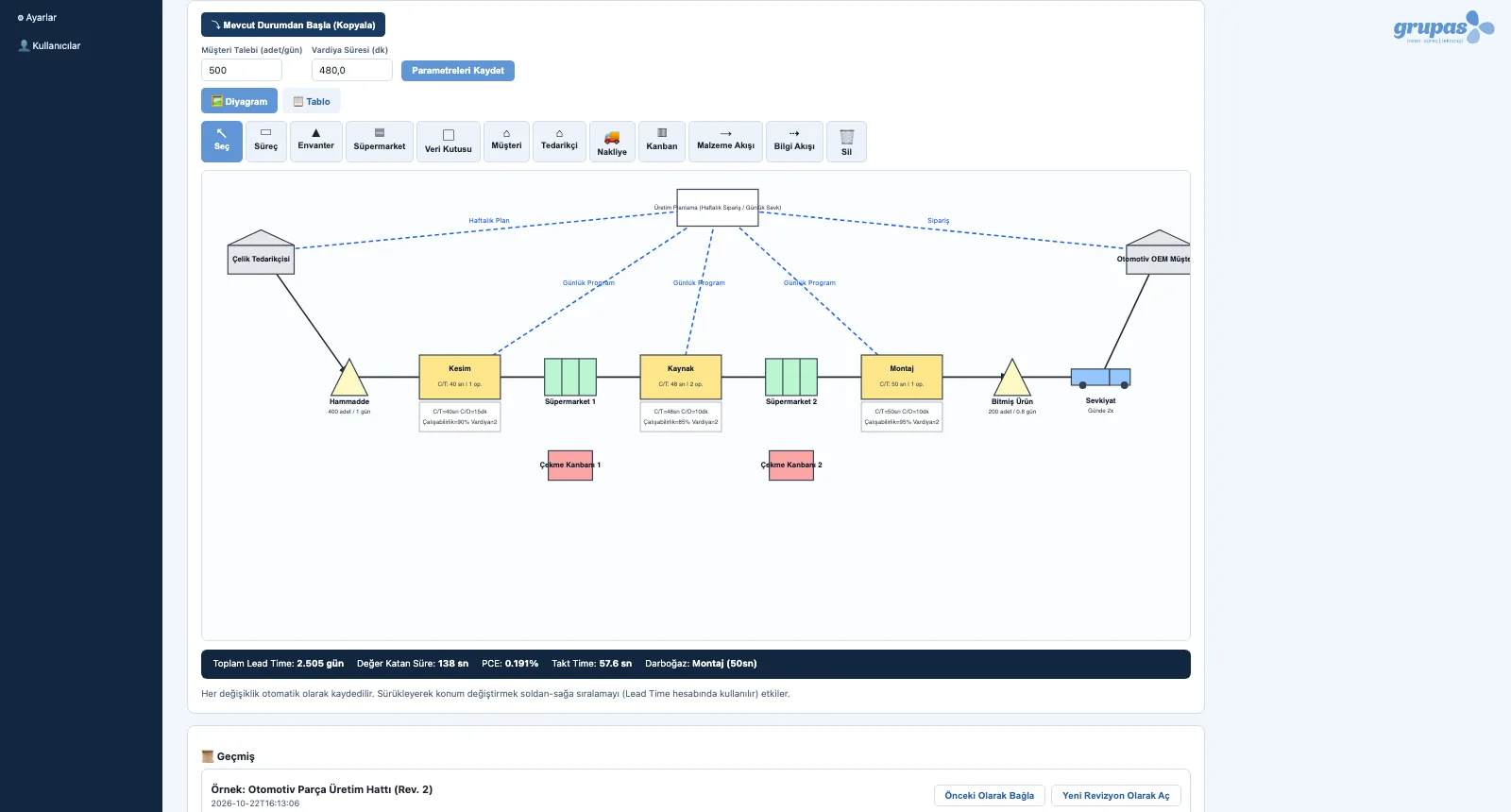
Draw your value stream by drag and drop, as it really runs on the shop floor.
Explore MeasureFlow Metrics
Lead time, PCE, takt time and the bottleneck — instantly, with every change.
Explore AnalyzeAI Waste Analysis
Assess your map against the 7 wastes with AI.
Explore DesignFuture-State Design
Design the target flow on top of the current map.
Explore CompareRevisions and Comparison
Keep revisions and compare before and after.
Explore ShareReports and Sharing
Turn the map and the analysis into a shareable document in one click.
ExploreCurrent-State Map
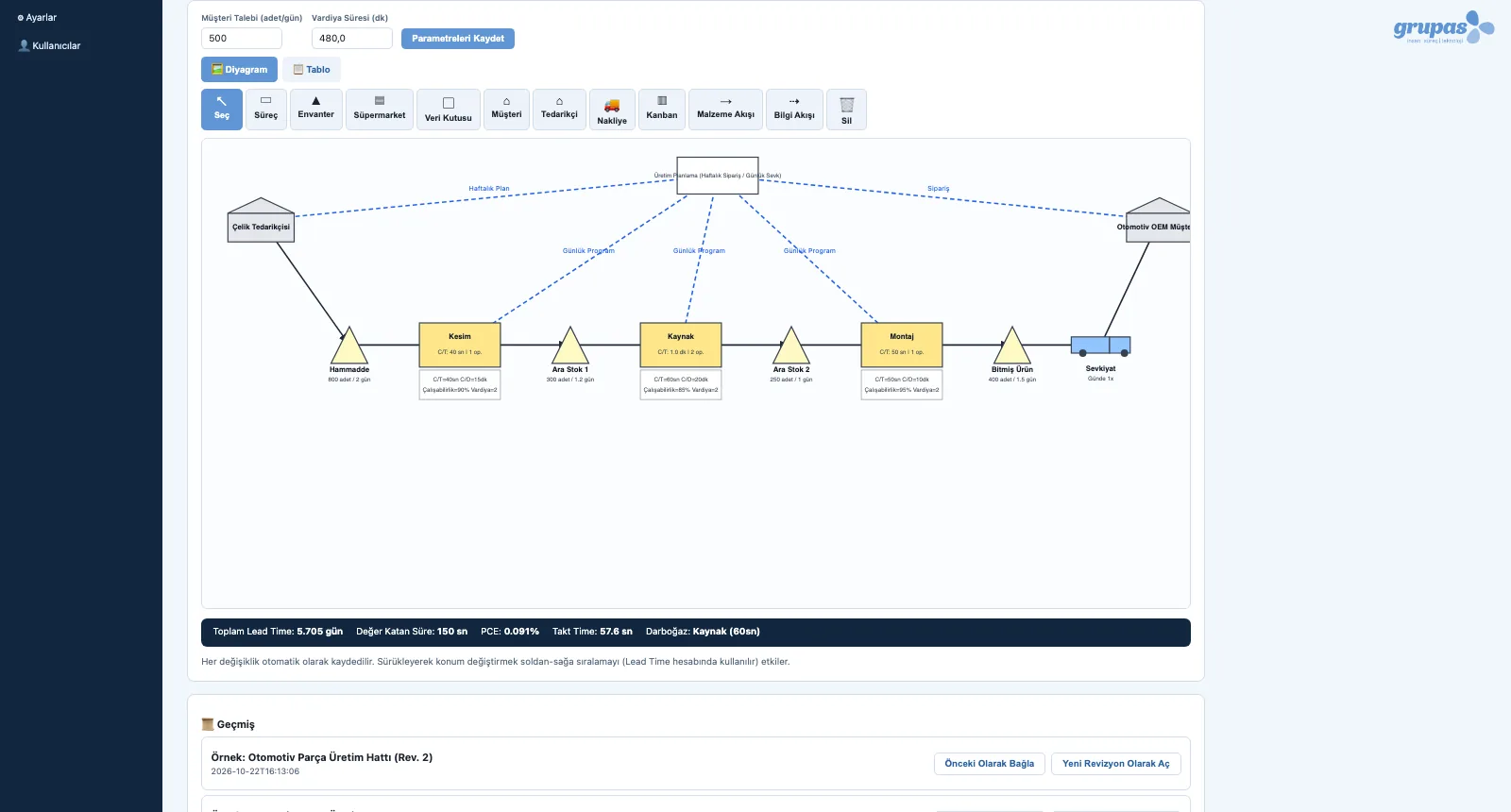
The current-state map shows material and information flow from supplier to customer on one digital map with standard VSM symbols — a real diagram editor in the browser instead of paper, pencils and whiteboards.
- Standard symbols: process, inventory, supermarket, data box, customer, supplier, shipment, kanban
- Material-flow (solid) and information-flow (dashed) connections, with labels
- Cycle time, changeover (C/O), uptime, operators and shifts per process; quantity and days for inventory
- Diagram and table views — the same data, two ways of working
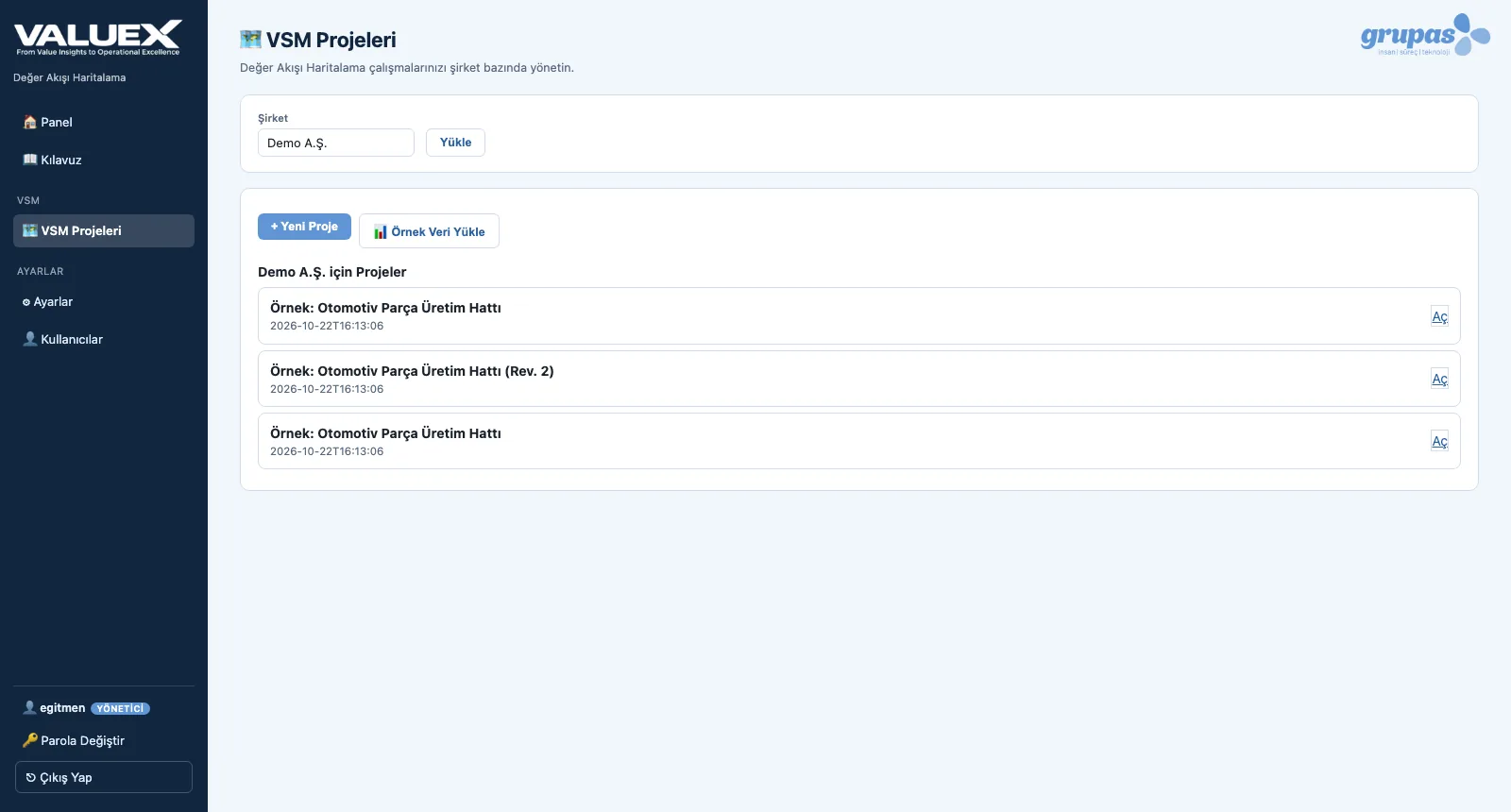
- Every change is saved instantly; there is no separate 'save' step
Flow Metrics
VALUEX calculates the flow metrics from the map itself: total lead time, value-added time, process cycle efficiency (PCE), takt time and the bottleneck station are always current in the metrics bar under the map.
- Total lead time = Σ inventory / supermarket days + process cycle times (in days, by shift length)
- Value-added time and PCE (value-added time ÷ total lead time)
- Takt time = shift time ÷ daily customer demand
- Bottleneck: the process step with the longest cycle time
- All formulas are written out in the in-app guide
AI Waste Analysis
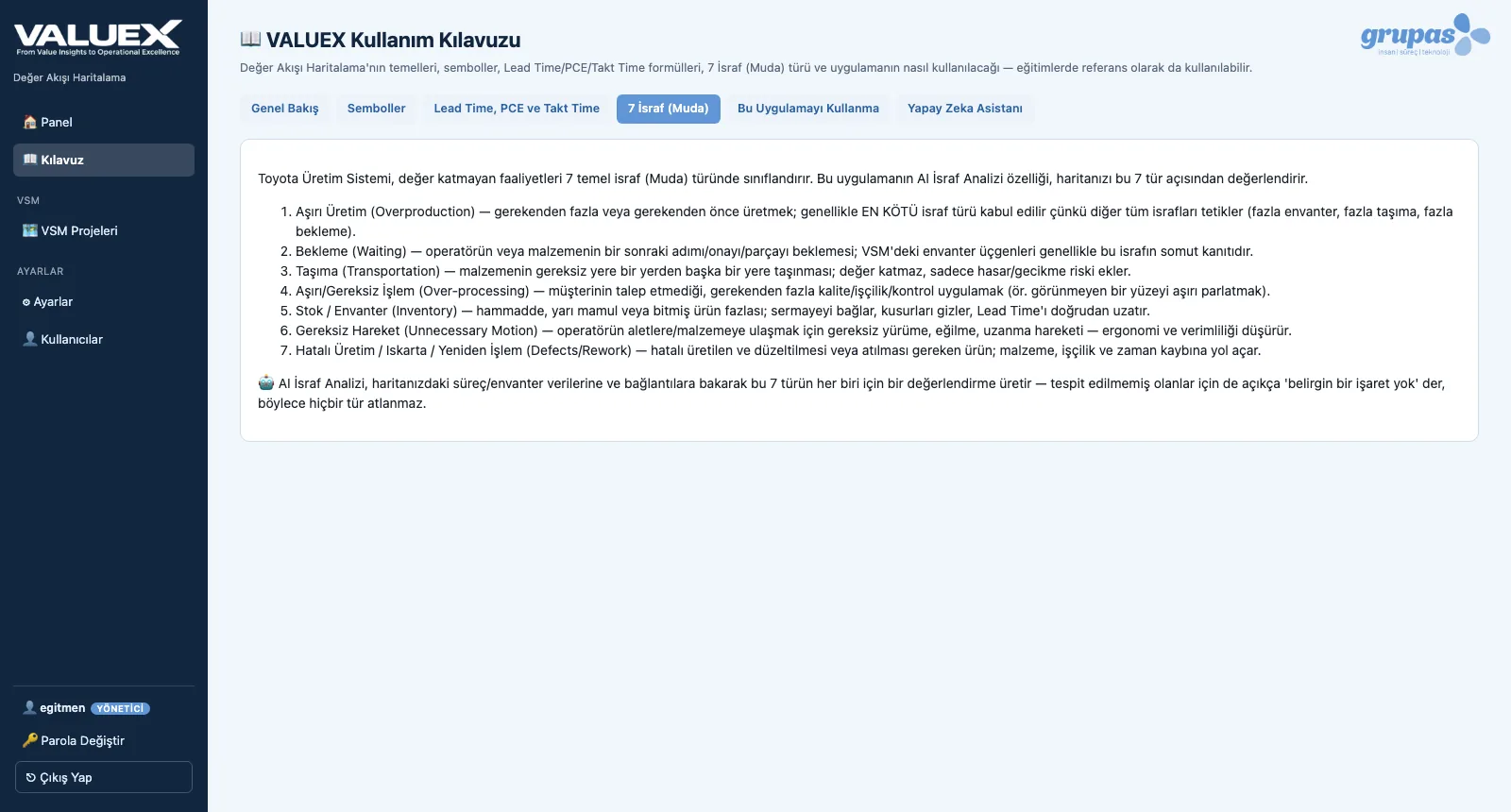
Waste Analysis sends your current-state map to grupas.ai and produces a report with an assessment of each of the 7 wastes (muda), a bottleneck and lead time / PCE commentary, and prioritized improvement recommendations.
- ALL 7 waste types are assessed; if there is no sign, it says so explicitly
- Bottleneck and lead time / PCE commentary
- High / medium / low priority recommendations with expected impact
- The report downloads as PDF or Markdown
- Runs only when you start it, never on its own
Future-State Design
The future-state map designs the flow you want to reach from waste findings and improvement ideas. It starts with one click from a copy of the current state; you reduce inventory, add supermarkets and kanban and rework the processes.
- 'Start from current state' — a full copy of the map
- Pull-system design with supermarkets and kanban
- Current and future state in the same project, on separate tabs
- Future-state metrics are calculated separately
Revisions and Comparison
Several projects and revisions are kept for the same company. When you link a project to the previous one, current-state metrics — lead time and PCE — are shown side by side between the two.
- Project list per company
- Open a past project as a 'new revision'
- Link to and unlink from a previous project
- Lead time and PCE comparison
Reports and Sharing
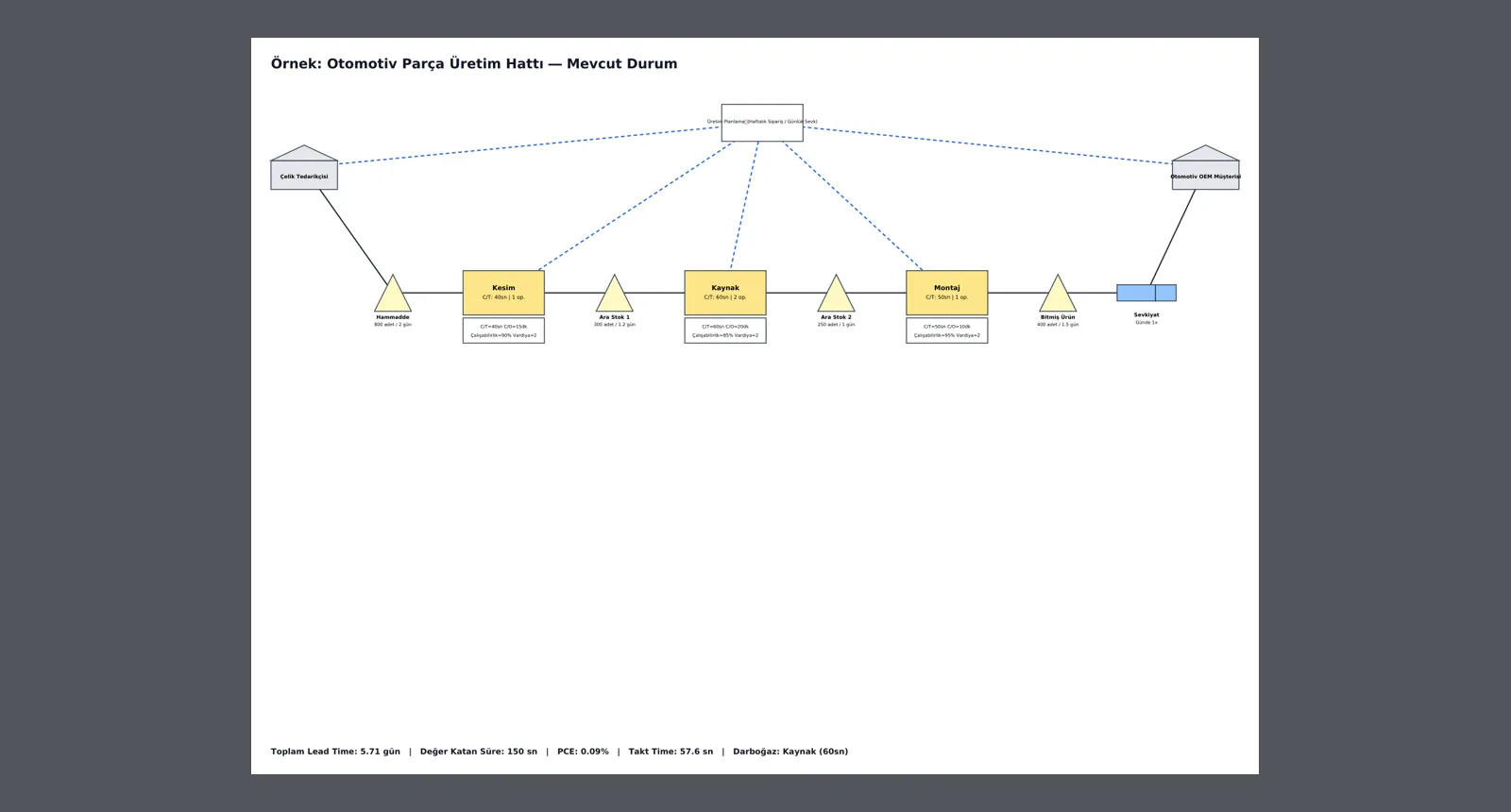
Current- and future-state maps export to PDF as real vector diagrams identical to the screen, with metrics at the bottom of the page. The waste analysis report downloads as PDF or Markdown.
- Separate PDFs for current and future state
- Vector drawing: sharp when zoomed, prints in large format
- Metrics summary on the page: lead time, value-added time, PCE, takt time, bottleneck
- Waste analysis report: PDF and Markdown
See your value stream in VALUEX
Write to us for a live walkthrough on sample data.