
Current-State Map
Draw your value stream by drag and drop, as it really runs on the shop floor.
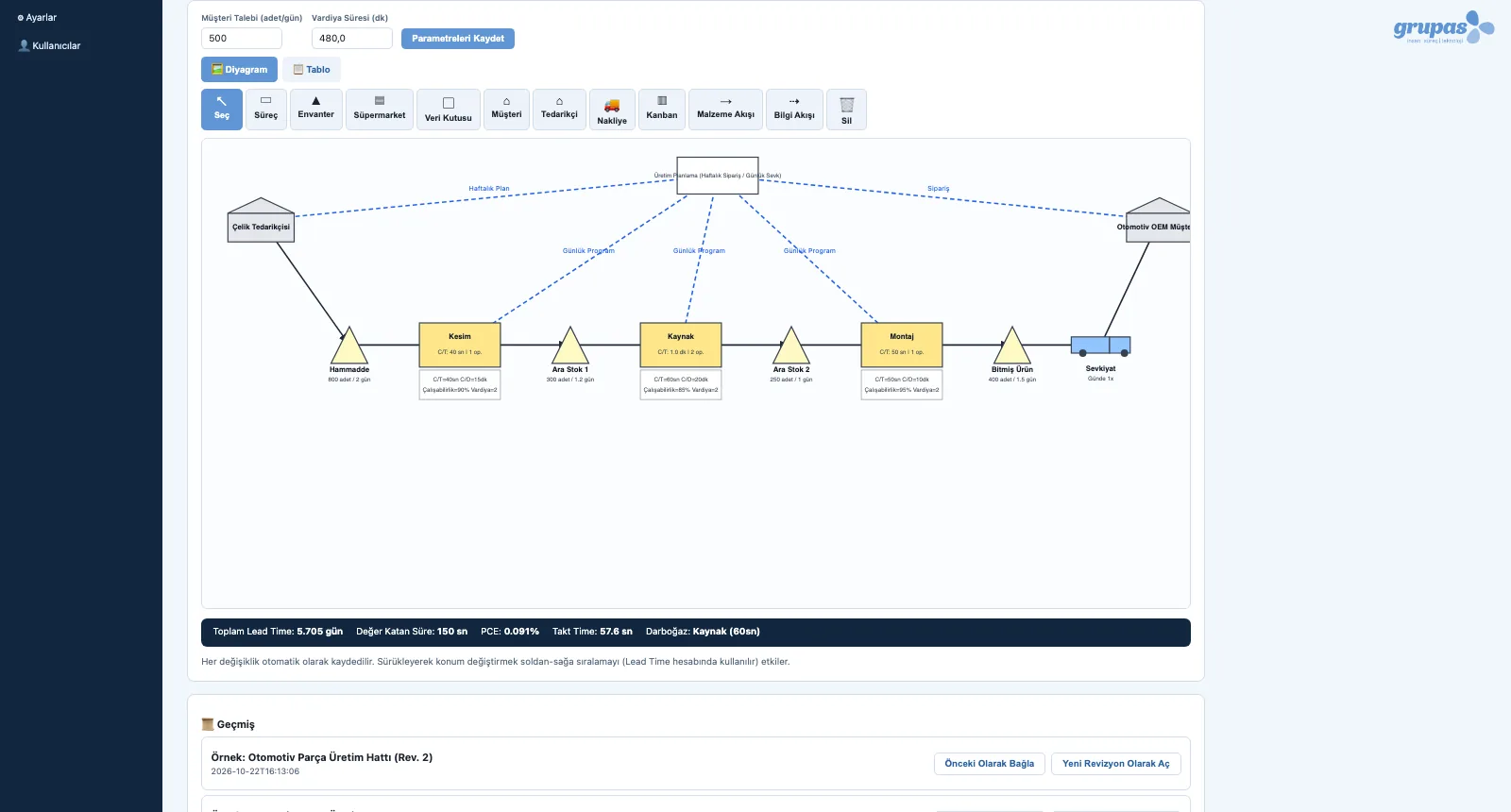
The current-state map shows material and information flow from supplier to customer on one digital map with standard VSM symbols — a real diagram editor in the browser instead of paper, pencils and whiteboards.
What you gain with VALUEX
- Symbols are picked from the toolbar, placed with a click and moved by dragging.
- Left-to-right order sets the flow sequence; calculations follow that order.
How it works
Build your current-state map in a few steps — from the project to the symbols and shop-floor data.
-
1
Open a project
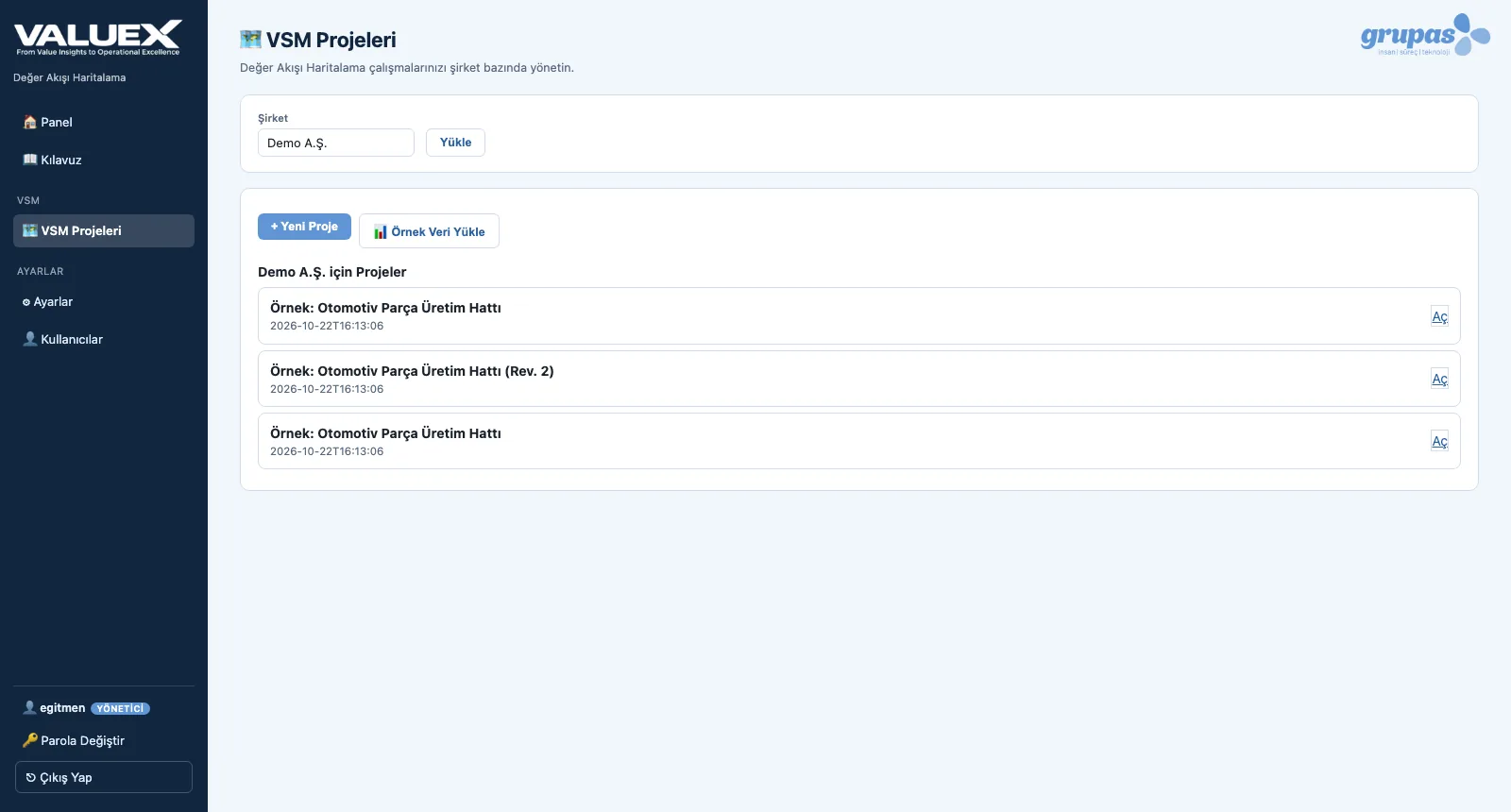
Enter the company name; open a new VSM project or start from sample data. Each company's work is listed separately.
-
2
Draw the flow
Place supplier, inventory, process, shipment and customer symbols; connect the material and information flow arrows.
-
3
Enter shop-floor data
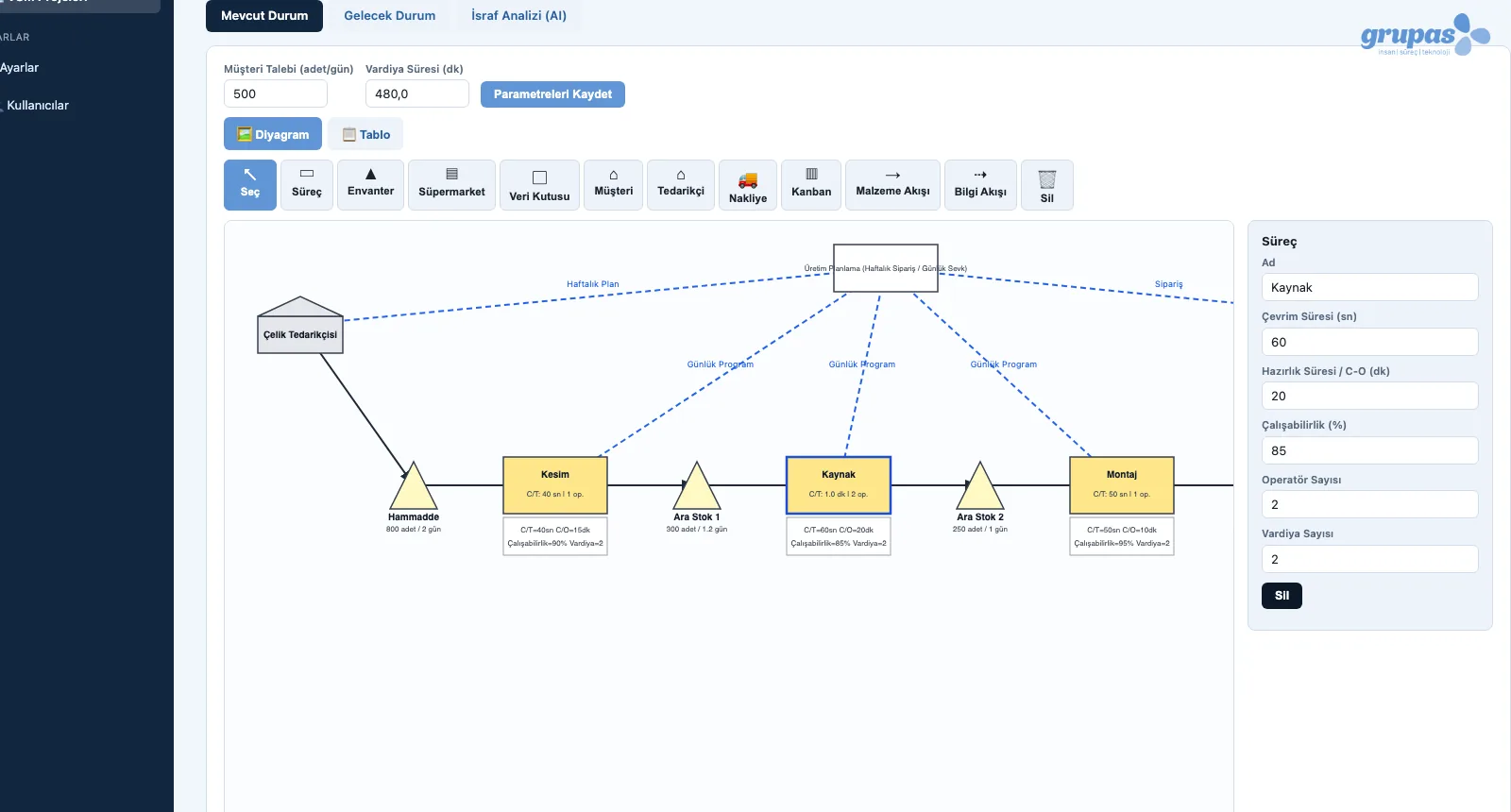
Click a symbol; enter cycle time, changeover, uptime, operators and shifts in the property panel.
-
4
Edit in the table
Switch to the table view; edit process and inventory rows like a classic table — the map updates at the same time.
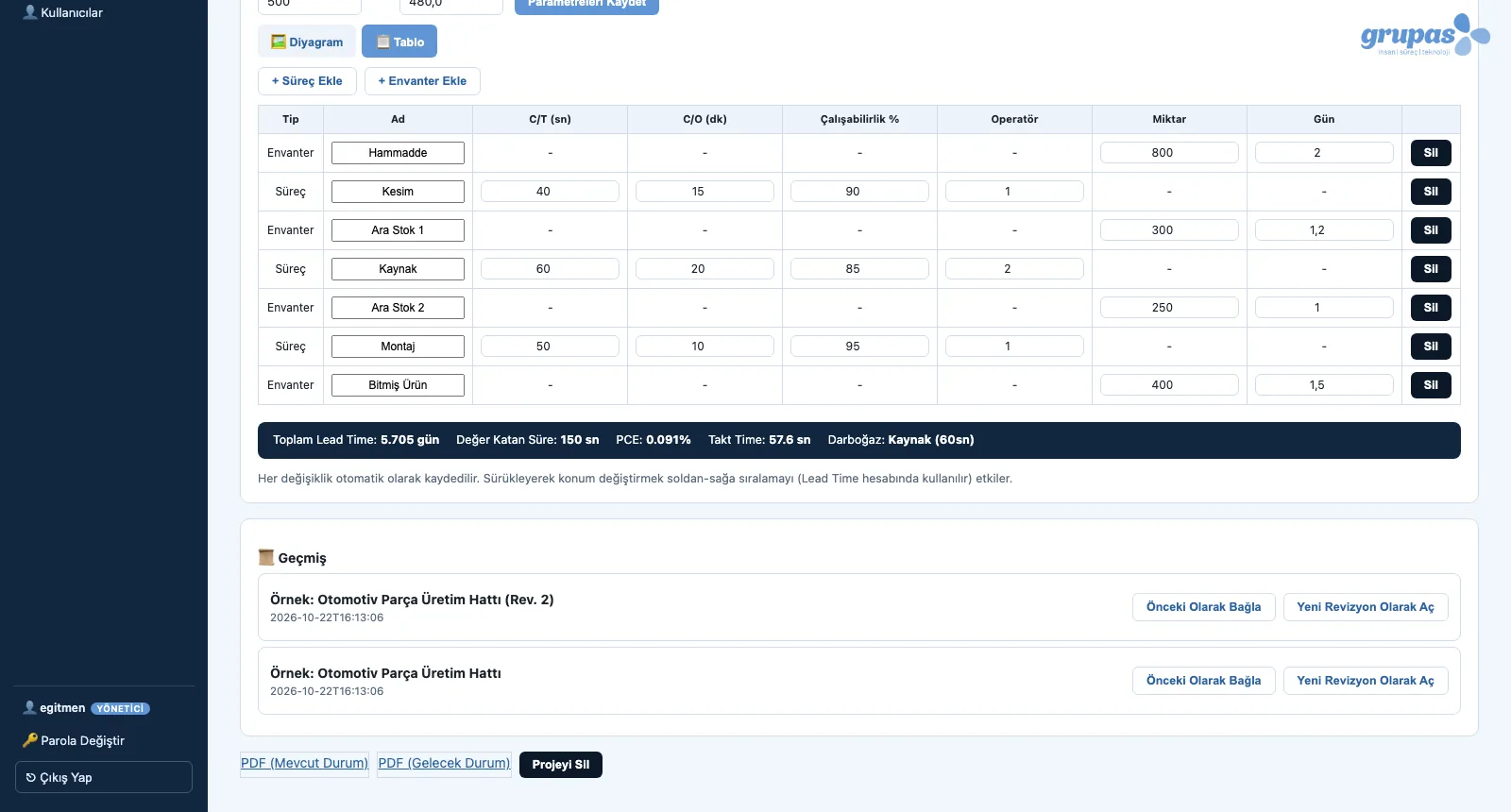
Screens are shown with sample company data; the application interface is in Turkish.
Purpose
To document end to end how the process really runs today — not its planned or ideal version — on a map everyone reads the same way.
Features
- Standard symbols: process, inventory, supermarket, data box, customer, supplier, shipment, kanban
- Material-flow (solid) and information-flow (dashed) connections, with labels
- Cycle time, changeover (C/O), uptime, operators and shifts per process; quantity and days for inventory
- Diagram and table views — the same data, two ways of working
- Every change is saved instantly; there is no separate 'save' step
Benefits
- The whole flow is visible at a glance
- The team talks while looking at the same map
- Shop-floor data is not lost and nothing has to be redrawn
Who uses it
Lean / operational excellence teams, production and process engineers, kaizen leaders.